
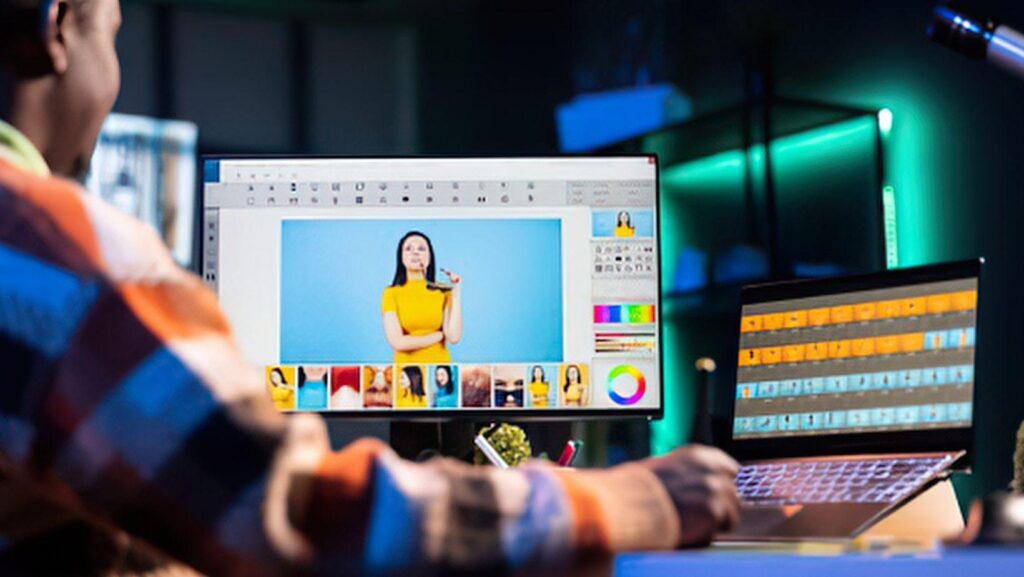
New tools appear every single month, and each one claims to change how digital content is made. So is the Nano Banana 2.5 image editor truly next in line, or just another passing trend? This guide gives a fair and balanced answer. You will see how fast AI image editing is spreading, where this tool fits in a daily content workflow, and what it can and cannot do for visual content. We also cover brand trust, cost, and copyright basics, since they matter as much as speed does. By the end, you will have a clear view and a simple plan to test the tool without wasting time or money.
Quick Answer: Is It the Next Big Tool?
It is a strong tool in a fast growing category, but it is not magic. It edits and creates images from plain sentences, which saves time on everyday visual work. Whether it becomes a big tool for your team depends on quality, cost, trust, and how well it fits your daily process. The safest move is a small test on real projects.
Key Takeaways
- Nano Banana is the nickname for Google’s Gemini 2.5 Flash Image model, introduced on August 26, 2025.
- Surveys show AI use among creators and marketers is now common, so the category is not new, but it is growing.
- The tool is best at fast, everyday image work and weaker at long text and exact detail.
- Audiences care about honesty, so how you label and use AI images matters.
- Test on a few real projects before you commit to any plan.
Why Digital Content Needs Faster Visuals
Content teams and solo creators publish on many platforms, and each one needs its own image size and style. That is a lot of visual work. The numbers below show why AI tools are gaining ground.
|
Finding |
Number |
Source |
|
Creators who use creative generative AI |
86 percent of more than 16,000 surveyed across eight countries |
Adobe Creators’ Toolkit Report, October 2025 |
|
Marketers who rely on AI for video and image creation |
About 75 percent |
Typeface content marketing roundup, 2026 |
|
Marketers using AI daily |
37 percent in 2024, 61 percent in 2025, 73 percent in 2026 |
Social Media Examiner AI report, 2026 |
|
Marketers worried about inauthenticity |
Up from 55 percent to 61 percent in a year |
Social Media Examiner AI report, 2026 |
Adobe surveyed people who publish digital content at least a few times a month, in the United States, the United Kingdom, France, Germany, South Korea, Japan, India, and Australia. Social Media Examiner surveyed 681 marketers. The Typeface figure comes from a roundup, so treat it as a general sign, not an exact count.
The lesson is simple. AI image tools are already part of many workflows. The real question is which tool fits yours, and the Nano Banana 2.5 image editor is one of the options.
What Nano Banana 2.5 Brings
Nano Banana began as the codename for Gemini 2.5 Flash Image, a Google model that creates and edits images. Google says it can blend several images into one, keep a character consistent across edits, make targeted changes with natural language, and use Gemini’s world knowledge to understand a request.
Guides often add 2.5 to point to the version. Google has released newer models since then, including Nano Banana Pro, and apps such as CapCut place these models inside their own tools. One review of CapCut’s Nano Banana 2.5 page noted that 2.5 was marked as coming soon while Pro was already live. Check the tool page for what your account offers today.
Where It Fits in a Content Workflow
Think of your process in stages. The tool helps most in a few of them.
|
Stage |
How the tool helps |
Level of help |
|
Planning |
Quick mood boards and rough looks |
Good |
|
Creating |
Draft images from text prompts |
Good |
|
Editing |
Background swaps, color changes, small fixes |
Very good |
|
Adapting |
Different shapes for each platform |
Good, since ten aspect ratios are supported |
|
Final polish |
Exact text, exact brand colors, large print files |
Limited, so finish in a classic editor |
|
Publishing and measuring |
Not a main job for this tool |
None |
This is why many teams treat AI editors as a helper, not a full replacement. Draft and adapt with the AI tool, then finish the important pieces by hand.
Signs It Could Grow, and Signs to Watch
|
Reasons for confidence |
Reasons for care |
|
Plain language editing means almost no learning curve |
Long text inside images is still a weak spot, according to Google |
|
Google lists the model at about $0.039 per image for developers |
Consistency is still improving, says Google |
|
It is built into creative platforms such as CapCut and Krea |
The original model is limited to about 1024 by 1024 pixels, says a CapCut guide |
|
Ten aspect ratios support many platforms |
App availability and model versions change often |
|
Invisible SynthID watermark adds transparency |
Audiences may react to AI content if it is not labeled well |
Trust and Honesty With Your Audience
Speed is not the only thing that matters. In a 2026 Sprout Social survey reported in a statistics roundup, about half of Gen Z said they had unfollowed, muted, or blocked accounts because they believed the content was made by AI. Social Media Examiner also found that worries about inauthenticity rose among marketers. These numbers come from surveys and roundups, so read them as signs, not final answers.
What does this mean for you?
- Use AI to help your ideas, not to fake real events.
- Label AI made images when the difference matters to your audience.
- Keep a human review step for every image before you publish.
Google says every image made or edited with Gemini 2.5 Flash Image carries an invisible SynthID watermark, so others can identify it as AI made or edited.
A Quick Word on Copyright
Rules about AI images are still forming. A 2026 statistics roundup notes that a U.S. appeals court affirmed in March 2025 that human authorship is needed for a copyright claim, so purely AI generated images may not be protected under current U.S. rules. Laws differ by country and can change. This is general information, not legal advice, so talk to a lawyer before you build a business plan around AI images.
Case Studies and Real Use
Adobe’s creator survey. Adobe reported that 86 percent of the creators it surveyed use creative generative AI for tasks such as ideas, images, video, and design. This shows the broad shift in how content gets made.
Volley. The studio behind the game Wit’s End uses Gemini 2.5 Flash Image to make and edit character portraits, scene stills, and quick edits requested by chat or voice, according to Google’s developer blog.
Cartwheel. The 3D posing tool maker says it spent months on a feature called Pose Mode and found other models lacking in control and consistency. Google reports that pairing its tool with the model gave both.
Krea. The creative platform lists Gemini 2.5 Flash Image as the model behind its Nano Banana option, at about 30 credits per generation. Its guide tells users to write naturally and add reference images to set a style.
These are company reported examples. They show real use, but your own tests matter most.
A 30 Day Test Plan for Creators and Teams
Here is a simple way to find out if the tool deserves a place in your workflow.
|
Week |
Task |
What to measure |
|
1 |
Try five simple edits on your own photos |
Success rate and tries per edit |
|
2 |
Make a small set of social images in three shapes |
Time saved compared with your current method |
|
3 |
Test a consistent character or product across five images |
How well the look holds up |
|
4 |
Review cost, quality, and audience response |
Cost per finished image and feedback |
If two out of three tests save time without hurting quality, the tool is worth keeping.
Cost and Access
Google lists Gemini 2.5 Flash Image at about $0.039 per image for developers. Apps set their own prices. CapCut, for example, uses a membership model where some features may need a paid plan or vary by region. Krea lists credits per generation. Always check the plan inside your app.
Use It Safely and Fairly
- Get permission before you create or edit images of real people.
- Do not present AI images as real photos when that could mislead someone.
- Skip uploading private or sensitive images.
- Read the terms of use before you publish client or brand work.
Common Mistakes to Avoid
- Expecting a full replacement. Keep a classic editor for exact text and color work.
- Skipping the review step. Check hands, faces, edges, and words before you publish.
- Hiding AI use when it matters. Honest labels protect trust.
- Ignoring the terms. Rules for commercial use differ by app.
- Buying before testing. Try free credits or a trial first.
Frequently Asked Questions
Is the Nano Banana 2.5 image editor the next big tool for digital content?
It is a strong option in a fast growing category. Whether it becomes a big tool for you depends on your needs, your budget, and how well it fits your workflow.
What is it best used for?
It is best for fast, everyday image work such as background changes, color edits, mockups, and draft visuals for social posts and blogs.
Can it replace a designer?
No. It can speed up drafts and simple edits, but designers still bring taste, brand knowledge, and exact control.
Are AI made images safe to use in marketing?
Often yes, but rules differ by app, plan, and country. Read the terms, keep a human review step, and label AI images when it matters to your audience.
Does it add a watermark?
Google says images made or edited with Gemini 2.5 Flash Image carry an invisible SynthID watermark that identifies them as AI made or edited.
Is it free?
That depends on the app. Google’s developer price is about $0.039 per image, and apps set their own plans, with some offering trials or credits.
Final Thoughts
The Nano Banana 2.5 image editor sits in a category that is growing fast, and its strengths are clear: plain language editing, quick drafts, and flexible shapes. Its limits are also clear: long text, exact detail, and changing availability. So the fair answer is that it can be a big help, not a magic fix. Run the 30 day test, keep a human eye on every image, and be honest with your audience. To see which model your account offers right now, check the official tool page.